
Initial consent-controls browser verification
On this page 4 sections
18 October 2026. These are recorded manual Chromium checks of the fictional local example, not an automated cross-browser suite or a WCAG/legal audit.
Requirements exercised: REQ-PRODUCT-MOBILE, REQ-PRODUCT-A11Y, REQ-EU-FAIR-CHOICE, REQ-ES-CHOICE, and the local interaction portion of REQ-EU-CONSENT. Runtime failure and lifecycle scenarios run separately in packages/notabenda/test/consent.test.mjs.
Observed
The initial checks below used the earlier visual theme. The refreshed defaults and updated mobile measurements are recorded in website and design verification; screenshots now show that refreshed theme.
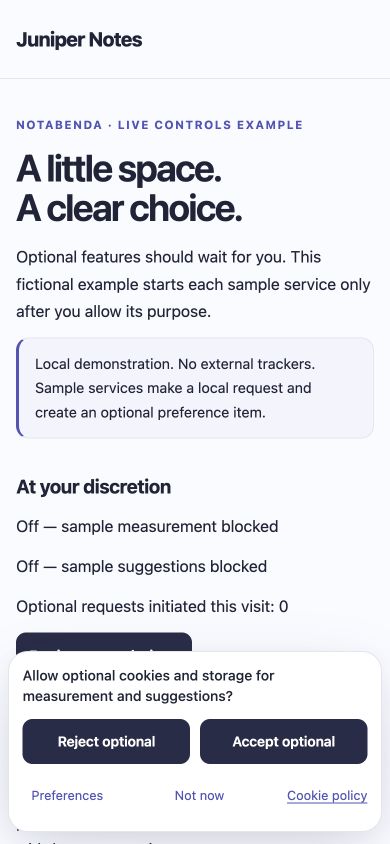
- Initial page: no open dialog; active element remains
BODY; both synthetic services display blocked and the local example's initiated-request counter is zero. Accept, reject, preferences, and dismissal are visible. The initial notice has no modal backdrop or focus trap. - At a 390×844 viewport (375 CSS pixels available after the scrollbar), the initial notice is approximately 203 CSS pixels high, with no page-wide horizontal overflow. This exceeds the approximate 120–180 target for this copy/spacing, but keeps readable text and 44-pixel actions; no hard clipping cap is used.
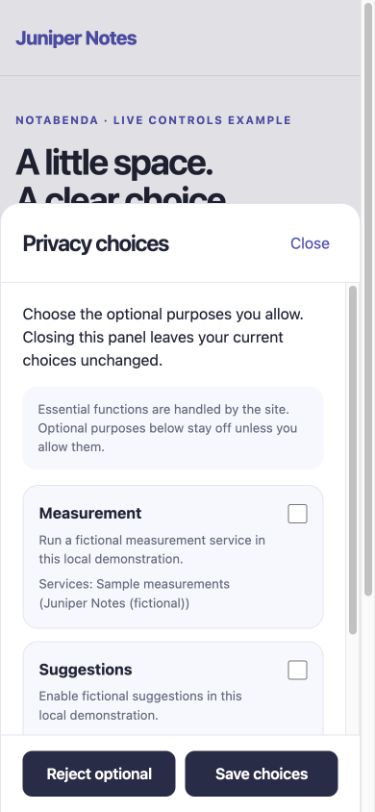
- Deliberate preferences opening creates a native modal dialog, focuses its heading, and leaves both optional checkboxes unchecked. Its height is 633 pixels, exactly 75% of this viewport; content scrolls internally and the action footer remains visible.
- Checking a purpose and closing without saving leaves both services blocked and the counter zero. Focus returns to the preferences action. Escape also closes without saving and restores focus.
- Saving only measurement starts measurement, leaves suggestions blocked, and increments the synthetic initiated-request counter to one. Reload retains that choice. A second browser tab sees the same saved selection.
- Rejecting in the second tab stops measurement in both tabs, leaves suggestions blocked, and keeps the historical request count at one. The rejecting view restores focus to its opener.
- At 320×700 (305 CSS pixels available), the dialog height is 525 pixels and page scroll width equals client width. At 760×360 (745 available), the drawer height is 270 pixels; its approximately 61-pixel action footer remains available and the body scrolls.
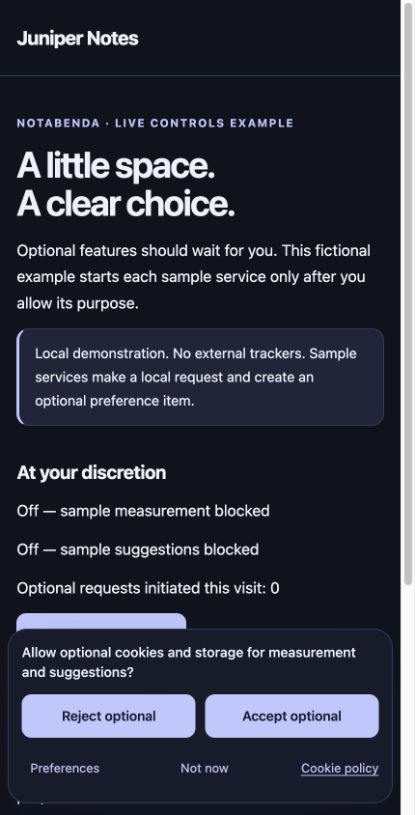
- A 430×900 alternate-theme view (415 available) displays clear equal-style accept/reject controls without horizontal overflow or initial focus theft. Theme customization uses CSS tokens.
The visible initiated-request counter demonstrates the sample integration path; it is not a packet capture or an audit of arbitrary host scripts. Lifecycle unit tests assert loader invocation and cleanup/abort boundaries directly. The example's only optional work is a local synthetic fetch and a removable localStorage item.
Reproduce
Run npm run dev, then visit /choices or /dark/choices. A fresh local origin starts with no choice. Use preferences to grant one purpose, reload, and open a second tab to withdraw. Review the matching privacy/cookie pages: they describe the optional sample items and the preference-memory items. Check consent storage/expiry and integration lifecycles through the headless API tests rather than fabricating browser evidence.
Screenshots: initial phone notice, phone drawer, alternate theme.
Still required before release
WebKit/Firefox and physical iOS/Android; 360-width and full breakpoint matrix; 200–400% zoom and large text; long translations and RTL; forced-colors and contrast audit; virtual keyboard/safe areas; screen-reader and full keyboard review; no-JS/blocked-script execution checks; network/storage inspection of real adapters and embeds; SPA/BFCache/navigation flows; lifecycle failures surfaced through the UI; and regional applicability/wording review. The product and legal requirements remain partial for these reasons.
Long-copy and direction hardening
Later checks and fixes are recorded in controls-layout.md. Long headings now wrap with Close reachable; enlarged action labels stack when needed. Normal layouts retain fixed header/actions, while constrained layouts and browsers without resize observation use whole-dialog scrolling. This extends the initial Chromium width, keyboard and RTL evidence above; the remaining zoom/platform/assistive-technology items are still open.